How to Summarize Long Meetings With AI (Without Losing the Details)
How to summarize long meetings with AI, from 90-minute workshops to multi-hour all-hands, without the summary turning into a vague paragraph that misses what actually happened.

A 30-minute status call is easy for AI to summarize. A 90-minute workshop with three agenda items, a tangent about budget, and a decision that got revisited twice near the end is a different problem. Paste that transcript into a chat tool and ask it to “summarize this,” and you often get a vague paragraph that mentions everything and confirms nothing.
Long meetings do not fail because AI cannot summarize them. They fail because most people summarize them the same way they would a short call, one prompt, one pass, done. This guide covers what actually breaks when a meeting runs long, and the specific steps that keep a summary accurate once a transcript stretches past an hour.
Why Long Meetings Are Harder to Summarize Than Short Ones
A short call usually has one topic and one thread of conversation. A long meeting rarely does. An all-hands, a planning workshop, or a multi-topic client call packs in several distinct conversations that just happen to share a Zoom link.
That creates three specific problems for AI summarization:
- Topic drift. The meeting opens on Q3 budget, drifts into a hiring debate, and closes on a product decision that has nothing to do with either. A single summary prompt tends to flatten all three into one blurry paragraph.
- Context limits. Even models with large context windows summarize long transcripts less reliably than short ones. Detail from the middle of a two-hour transcript is the most likely to get dropped or generalized.
- Buried decisions. In a short call, the decision usually lands near the end. In a long one, a decision made at minute 40 can get revisited and changed at minute 75. A summary that does not track that in order will report the wrong outcome.
The fix is not a better prompt. It is a different process: break the meeting into pieces before you summarize it, not after.
Step 1: Start With a Clean, Timestamped Transcript
Every summarization method below depends on the same input: an accurate transcript with speaker labels and timestamps. Without timestamps, you cannot break a long meeting into sections. Without speaker labels, you cannot tell who made a decision or who owns a follow-up.
If you are recording Google Meet calls, Record Meeting generates this automatically, with speaker names and timestamps attached to every line, so the transcript is already structured before you get to the summarization step. If you need the transcript on its own first, our guide to transcribing Google Meet covers the native and browser-based options.
A transcript without timestamps or speakers is still usable, but you will spend extra time manually marking where topics change in the next step.
Step 2: Break the Meeting Into Sections Before You Summarize
This is the step most people skip, and it is the one that matters most for long meetings. Instead of summarizing the entire transcript in one pass, split it into sections first.
Two ways to do this:
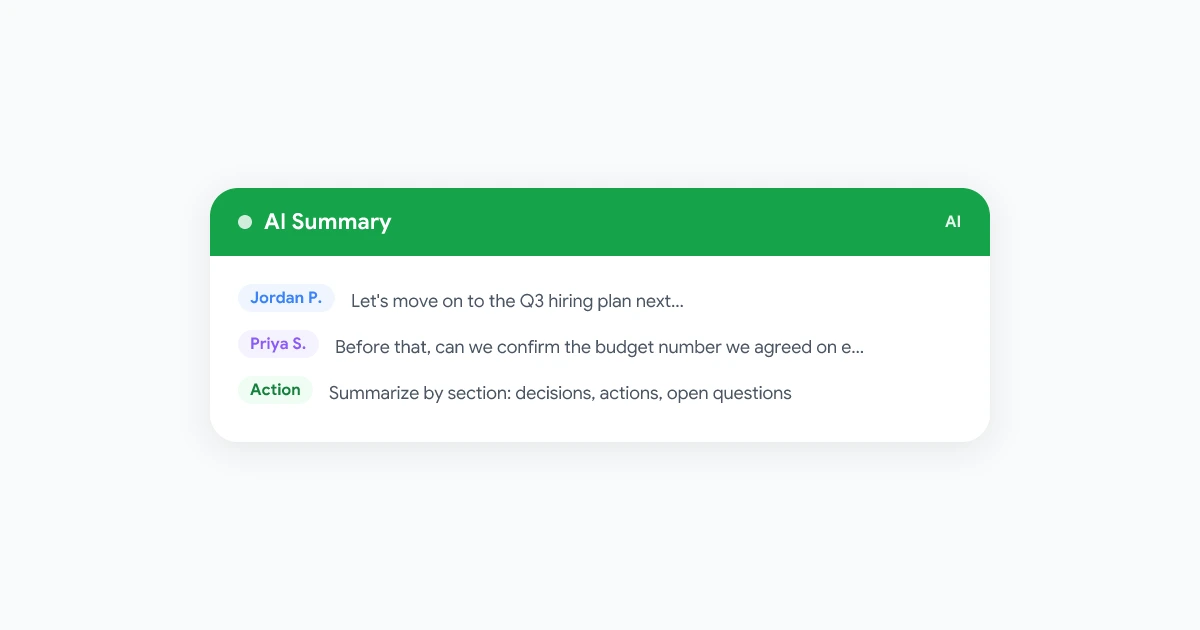
By topic change. Scan the transcript for where the conversation shifts. A phrase like “let’s move on to…” or “next item on the agenda” is usually a clean break point. A 90-minute meeting with four agenda items becomes four sections.
By time block. If the transcript has no clear topic markers, split it every 15 to 20 minutes instead. This is less precise but still prevents the AI from trying to compress two hours of content into a single pass.
Once you have sections, summarize each one separately, then summarize the section summaries into a final overview. This two-pass approach, sometimes called hierarchical summarization, is the same technique long-document summarization tools use for research papers and legal transcripts. It works because each individual pass only has to compress 15-20 minutes of content instead of two hours, so nothing from the middle gets generalized away.
Step 3: Use a Structured Prompt, Not “Summarize This”
If you are running the transcript through ChatGPT, Gemini, or a similar tool manually, the prompt matters as much as the chunking. A generic instruction produces a generic summary. Give the model a structure to fill in instead.
A prompt template that works well for each section:
Summarize this meeting transcript section. Do not write a general paragraph.
Instead, return exactly these three lists:

Decisions made: (only things the group agreed on, not options discussed)
Action items: (task, owner, and due date if mentioned)
Open questions: (anything raised but not resolved)

If a section has nothing for one of these lists, write "None" rather than
inventing content.
Run this prompt on each section, then run a second pass asking the model to merge the section-level lists into one final set of decisions, action items, and open questions, removing duplicates and keeping the order they happened in. That second pass is what turns four separate section summaries into one coherent meeting record.
For a meeting with a named agenda, ask the model to organize the final output by agenda item instead of chronologically. It is easier for someone who missed the call to scan a summary structured “Budget: …”, “Hiring: …”, “Product: …” than one structured purely by timestamp.
 Try Record Meeting
Record Meeting builds the summary as your Google Meet call happens, so a two-hour workshop never has to be compressed from a giant transcript after the fact.
Get Started Free
Step 4: Let a Meeting Tool Do the Chunking For You
Manually chunking a transcript and running two prompt passes works, but it is a lot of steps for a meeting that happens every week. Tools built for meeting summarization solve this differently: instead of compressing a finished transcript after the call, they build the summary incrementally while the meeting is still happening, tracking topics as they shift in real time rather than reconstructing them from a wall of text afterward.
That distinction matters most for long meetings specifically. A tool that only summarizes after the call still has to solve the chunking problem described above, usually by doing something similar behind the scenes. A tool that summarizes as the meeting runs never has a giant transcript to compress in the first place, because it never lets more than a few minutes of content stack up before folding it into the running summary. For a 90-minute workshop, that difference shows up as fewer dropped details from the middle of the call.
Our guide to Google Meet AI summaries covers how native Workspace tools and browser-based recorders like Record Meeting compare for this, including setup steps for both.
Step 5: Format the Output So People Actually Read It
A long meeting produces a long amount of raw material. The summary should not. Keep the final version short enough that someone who missed the call can read it in under two minutes, structured as:
- Overview: two to three sentences on what the meeting covered and why
- Decisions: grouped by agenda item, one line each
- Action items: task, owner, due date, formatted as a short list or table
- Open questions: anything still unresolved, so the next meeting has a starting point
Resist the urge to keep every detail from every section summary. The section-level summaries are your working notes. The final version is what gets read, and a five-page summary of a two-hour meeting defeats the entire purpose.
If your team sends a recap after every call, our meeting recap email template covers a format built for exactly this. For pulling the action items specifically into a system your team already tracks, see our guide to never missing a meeting action item.
Common Mistakes When Summarizing Long Meetings With AI
- Pasting the entire transcript into one prompt. This is the single most common mistake. Even when it technically fits, quality drops sharply for content in the middle of the transcript. Chunk first.
- Skipping timestamps. Without them, you cannot verify when a decision was made or reference the original moment if someone disputes the summary later.
- Losing speaker attribution. “The team decided to delay launch” is weaker than “Priya decided to delay launch, pending legal review.” Long meetings especially need attribution because more people spoke and more decisions changed hands.
- One summary for a multi-topic meeting. If the call covered budget, hiring, and product in one session, a single flat summary makes it hard for someone to find the one section relevant to them. Structure by topic, not just by “the meeting.”
- No final review. AI summaries of long meetings have more surface area for error than short ones simply because there is more content to compress. A two-minute scan before sharing catches misattributed decisions before they spread.
FAQ
Bottom Line
Long meetings do not need a smarter AI model, they need a different process. Get a clean, timestamped transcript, break it into sections before summarizing, use a structured prompt instead of a generic one, and merge the pieces into a short final summary organized by decision, action, and open question. Do that, and a two-hour workshop is just as easy to catch up on as a fifteen-minute standup.
If you would rather skip the manual chunking altogether, Record Meeting builds the summary as your Google Meet call happens, so long meetings never turn into a giant transcript you have to compress after the fact.