Are Google Meet Recordings Secure? A Complete Privacy Guide
Where Google Meet recordings live, who can access them, what laws apply, and how to keep sensitive meetings private. A practical privacy guide for 2026.


Google Meet recordings handle some of the most sensitive content your company produces. Customer conversations, strategy discussions, hiring decisions, and HR reviews all flow through that single video file.
So how secure are those recordings, really? The short answer is “secure enough for most use cases, with caveats you need to understand.” This guide walks through the encryption, access controls, regulations, and configuration choices that actually matter.
Where Google Meet Recordings Are Stored
Native Google Meet recordings save to the meeting organizer’s Google Drive, in a folder called “Meet Recordings.” For a full breakdown of locations, see our guide to where Google Meet recordings are saved.
That storage layer matters because Drive’s security model becomes the recording’s security model. Anyone who can access the organizer’s Drive can access the file.
Encryption: What Google Actually Provides
Google encrypts recordings two ways: in transit and at rest.
In transit, all video and audio between participants and Google’s servers travels over TLS. This protects the live stream from interception on the network.
At rest, recordings stored in Drive are encrypted with AES-256. Google manages the keys by default, which means Google can technically access your data if compelled by law enforcement or for service maintenance.
For most companies that is acceptable. For regulated industries it is not. If you handle PHI, financial trading data, or government-classified material, you need Customer-Managed Encryption Keys (CMEK) on Google Workspace Enterprise Plus.
Who Can Access Your Recordings
This is where most leaks actually happen, not at the encryption layer.
By default, a Google Meet recording inherits the sharing permissions of the organizer’s Drive. If the organizer’s recordings folder is shared with the team, every recording lands there automatically.
A user creates a recurring 1-on-1 with their manager, hits record once, and forgets the file is now shared with anyone who has access to their Drive root folder.
Audit your “Meet Recordings” folder permissions today. You will probably find at least one file you did not intend to share.
Privacy Laws That Apply to Meeting Recordings
Recording rules vary by jurisdiction, and ignoring them is expensive.
Two-Party Consent States (US)
Eleven US states require all participants to consent before recording. The list includes California, Florida, Illinois, Massachusetts, Pennsylvania, and Washington.
Google Meet automatically announces “this meeting is being recorded” when you start, which usually satisfies the consent requirement. But the announcement only protects you if every participant is on the call when it plays.
GDPR (European Union)
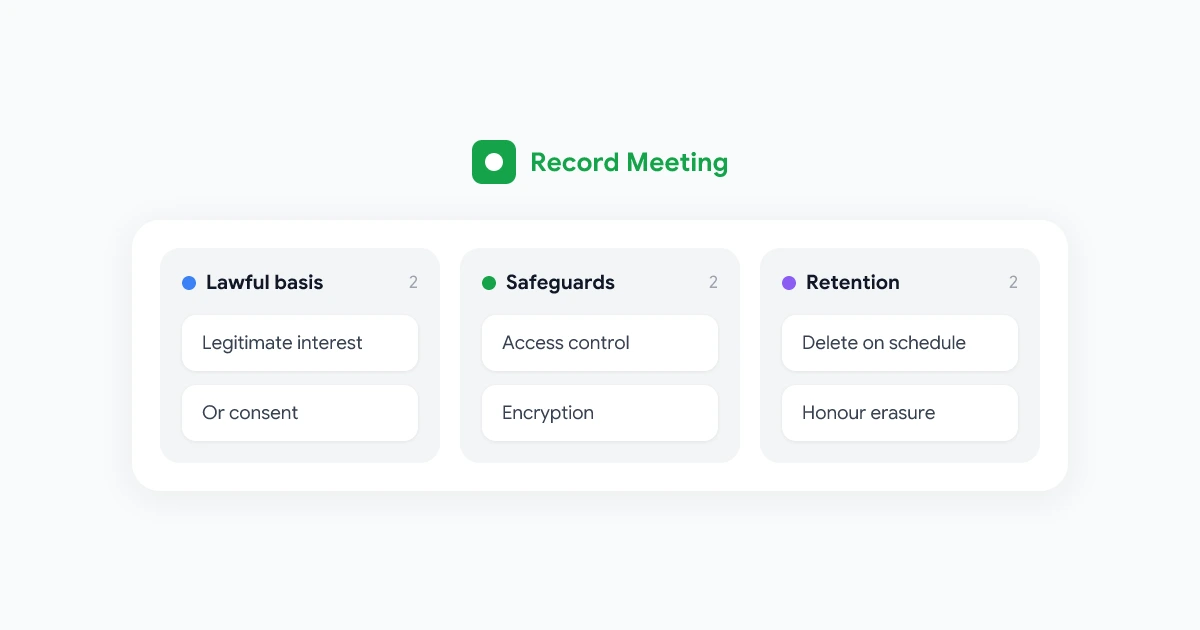
Recording a meeting that includes EU residents triggers GDPR. You need a lawful basis (usually consent or legitimate interest), a clear retention policy, and a way for participants to request deletion.
Practical implication: announce the recording in writing before the meeting, document the purpose, and set an automatic deletion timer. Most teams pick 90 days for internal meetings and 12 months for sales calls.
HIPAA (US Healthcare)
Standard Google Workspace is not HIPAA-compliant out of the box. You need a Business Associate Agreement (BAA) with Google plus a paid plan. Without it, recording any conversation that includes patient information is a violation.
CCPA, PIPEDA, and Others
Most modern privacy laws follow the same template: notice, consent, retention limits, deletion rights. If you build a consistent recording policy, you will satisfy most regulations automatically.
How to Lock Down Your Recordings
Practical steps, ranked by impact.
1. Audit Drive Permissions Quarterly
Open your “Meet Recordings” folder in Google Drive. Check who has access. Remove anyone who should not be there.
Set a calendar reminder for every quarter. This is the single highest-leverage thing you can do.
2. Set a Retention Policy
Pick a deletion window and enforce it. Google Vault (Workspace Business Plus and above) lets you auto-delete recordings after 30, 60, 90, or 365 days.
Recordings you do not have are recordings that cannot leak.
3. Disable Recording for Most Users
Google Workspace admins can restrict who can record. By default, give the right only to managers and team leads. This dramatically cuts the number of unintended recordings.
4. Turn Off “Anyone with the Link”
Default sharing for recording files should be “restricted.” Anyone needing access requests it. The “anyone with the link can view” option is how recordings end up on the public internet.
5. Require 2FA on All Workspace Accounts
A leaked password gives an attacker your entire recording archive. Two-factor authentication blocks 99% of credential-stuffing attacks.
When to Use a Third-Party Recording Tool
Native Google Meet recording works for casual use. For sensitive meetings or specific compliance requirements, a dedicated tool gives you stricter controls.
Look for tools that offer: granular per-meeting access controls, configurable retention policies, audit logs, region-locked storage, and SOC 2 Type II certification.
RecordMeeting’s Google Meet tools were built for this use case. Recordings are encrypted at rest and in transit, stored outside your Google Drive quota, and never used to train AI models. The how-to record Google Meet guide walks through setting up automatic recording with full access controls.
Encrypted recording, per-meeting access controls, and configurable retention policies. Built for teams that take privacy seriously.
Get StartedFrequently Asked Questions
The Bottom Line
Google Meet recordings are reasonably secure by default, but the weak link is almost always permissions, not encryption. Audit your Drive folder, set a retention policy, and disable “anyone with the link” sharing.
For high-stakes meetings, consider a tool with stricter access controls. And if you want a deeper comparison of recording tools, read our breakdown of RecordMeeting vs Otter.ai.