Google Meet for Sales Teams: How to Record, Log, and Coach Every Call
How sales teams use Google Meet for sales calls, record them without a bot, and turn every conversation into CRM notes and coaching material.

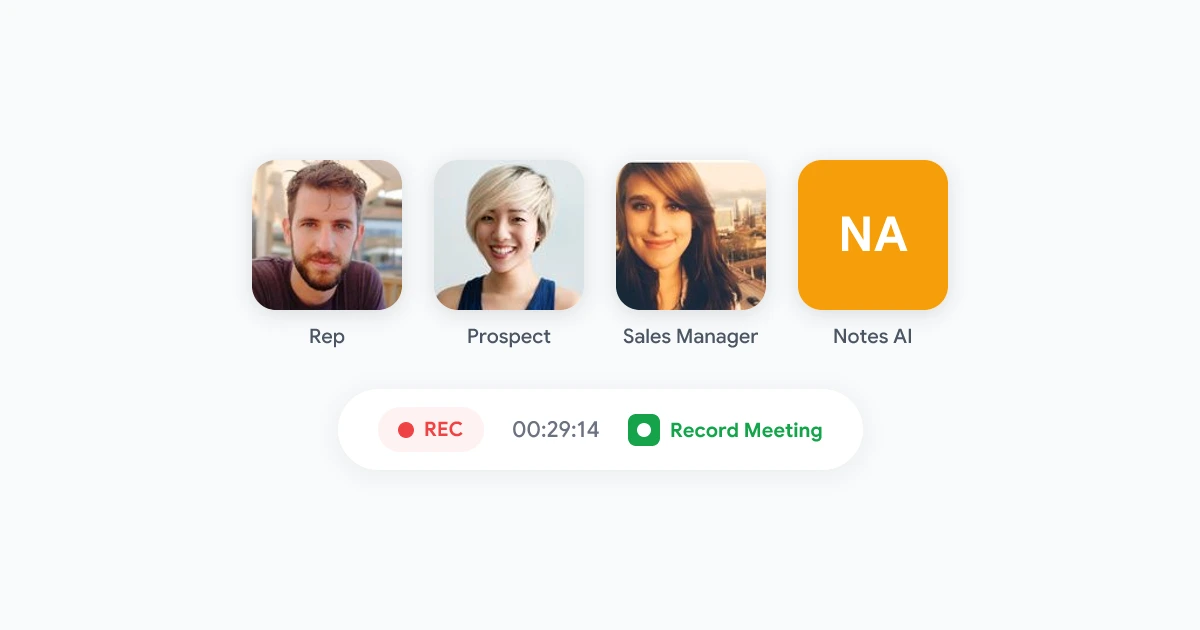
A rep runs eight discovery calls a week on Google Meet, and by Friday half the details are gone. What did the prospect say their budget was? Which objection came up on the second call that never got answered? Without a recording, that information lives in scattered notes, or nowhere at all.
Google Meet for sales teams is quickly becoming the default setup for companies that already run on Google Workspace. It is free to join, familiar to prospects, and does not require anyone outside the company to install anything. The gap is what happens after the call: recording it, getting it into the CRM, and turning it into something a sales manager can actually coach against. This guide covers how to close that gap.
Why Sales Teams Are Standardizing on Google Meet
Sales teams end up on whatever platform the buyer prefers, but Google Meet has become the common denominator for a simple reason: most companies already have a Google Workspace account, so joining a Meet link requires nothing more than a browser tab. There is no download prompt, no account creation, no friction before a prospect even shows up.
That convenience creates a real problem for revenue teams once the call ends:
- Deal details live in someone’s memory. A verbal commitment on pricing or timeline is only as reliable as the rep’s notes, written in a hurry between calls.
- CRM fields get filled in from a vague recollection. “Budget: around 20k, I think” is not something a sales manager can forecast against.
- New reps ramp on secondhand advice. Without recordings, coaching is based on what a manager remembers hearing in a shadowed call weeks ago.
- Deal reviews rely on the rep’s own summary. Nobody else on the team can verify what the prospect actually said versus what got reported up.
Recording every sales call on Google Meet turns each of these into a searchable, reviewable record instead of a guess.
Recording Sales Calls on Google Meet Without a Bot
The most common way to record sales calls today is a bot-based AI notetaker that joins the meeting as a visible participant. For internal team meetings that is fine. For a prospect call, it changes the dynamic: buyers notice an unfamiliar name join the room, and some ask that it leave before the conversation starts.
A browser-based recorder solves this differently. Record Meeting runs as a Chrome extension that captures the call directly from the rep’s own browser tab, so there is no separate participant, no join announcement, and nothing for the prospect to question. The call looks and feels exactly like every other Google Meet the buyer has taken.
Step 1: Install Record Meeting once per rep
Each rep installs the Chrome extension on their own browser. There is nothing to configure per call and nothing the prospect needs to install.
Step 2: Start recording from the Meet toolbar
When the call starts, the rep clicks record from inside Google Meet. Recording runs in the background while the call happens normally.
Step 3: Get a transcript, summary, and action items automatically
After the call ends, the recording uploads and Record Meeting produces a transcript with speaker labels, an AI summary, and a list of next steps, without the rep spending time writing any of it up.
 Try Record Meeting
Record Google Meet sales calls with no bot in the room. Get transcripts, summaries, and action items ready for your CRM in minutes.
Get Started Free
Turning Sales Call Recordings Into CRM Notes
A recording only helps the team if the details end up where reps and managers actually look, which for most sales orgs is the CRM. Instead of a rep typing a summary from memory after the call, the recorded transcript becomes the source for the CRM note.
A few patterns that work well:
- Paste the AI summary into the deal record. A short, accurate recap of budget, timeline, and next steps beats a rushed one-line note every time.
- Log objections word for word. When a summary quotes the prospect’s actual concern about price or integration, the next rep on the account knows exactly what to address instead of guessing.
- Keep the full transcript linked to the deal. For calls where something disputed comes up later, like a stated budget range or a promised feature, the original transcript settles it.
- Standardize the note format across the team. When every rep pulls from the same AI-generated structure, sales managers can scan deal notes consistently instead of decoding each rep’s personal shorthand.
This turns a five to ten minute post-call writing task into a copy and paste, which matters most on days with back-to-back demos.
Coaching Reps With Real Call Recordings
Sales coaching is only as good as what a manager can actually review, and most managers cannot shadow every call. Recorded Google Meet calls change that:
- Review calls asynchronously. A manager can read the transcript or skim the summary between their own meetings instead of blocking time to sit in live.
- Compare how different reps handle the same objection. Searching transcripts for a specific pushback, like a pricing concern, surfaces exactly how top performers respond to it.
- Use real calls for onboarding. New reps learn faster from an actual discovery call transcript than from a generic script, because they see how a real conversation actually unfolds.
- Track what’s said, not what’s reported. A rep’s own recap of a call can smooth over a weak moment. The transcript does not.
Try Record Meeting
Searchable transcripts make coaching and deal reviews faster. No per-call setup, no bot joining prospect calls.
Get Started Free
Getting Consent Right on Sales Calls
Recording prospects is different from recording an internal team meeting, since the other person on the call did not choose to be recorded and may be in a different state or country with its own rules. A few habits keep this simple:
- Say it out loud at the start of the call. A short line like “just so you know, I’m recording this so I don’t miss anything, that okay with you?” takes five seconds and covers most consent requirements.
- Know your jurisdiction’s consent rule. Some regions require only one party to consent, others require everyone on the call to agree before recording. Check the rule that applies to where your prospects are based.
- Keep the practice consistent, not selective. Recording only the calls that go well and skipping the awkward ones creates a lopsided, unreliable record.
- Store recordings with limited access. Not every recording needs to be visible to the whole company. Limit access to the deal team and sales leadership.
For a deeper look at the legal side, our guide on whether it’s legal to record a meeting without telling participants covers consent rules in more detail, and the meeting recording policy template gives you a starting point for a written policy your legal team can review.
Frequently Asked Questions
Bottom Line
Google Meet already works for sales calls, the missing piece is what happens after the call ends. Recording every call without a bot in the room, turning transcripts into CRM notes automatically, and using real recordings for coaching closes the gap between a good conversation and a deal that actually moves forward.
Ready to stop losing deal details to memory? Try Record Meeting free to record your next sales call, then add Pro to get the automatic transcript and summary.