GDPR Meeting Recording: A Practical Compliance Guide for EU Teams
How GDPR meeting recording really works. Lawful basis, consent rules, data subject rights, and retention limits for recording Google Meet calls in the EU and UK.

Recording a Google Meet call feels harmless. You click record, the transcript writes itself, and the summary lands in your inbox. Under the General Data Protection Regulation (GDPR), that recording is personal data the moment a named or identifiable person speaks, appears on camera, or shows up in a transcript. From that point on, your team is processing personal data and the regulation applies in full.
GDPR does not ban meeting recording. It asks you to do four things well: have a lawful reason to record, tell people clearly, keep the file only as long as you need it, and respect the rights of everyone captured. This guide explains GDPR meeting recording in plain terms for EU and UK teams, with a workflow you can actually run on Google Meet.
For broader context, see our Google Meet recordings security guide. If you also handle health data, pair this with our HIPAA-compliant meeting recording guide.
What GDPR Means for Meeting Recordings
GDPR applies whenever an organisation processes personal data about people in the EU or UK, regardless of where the company itself sits. A meeting recording is personal data because it almost always contains:
- A person’s face, voice, and name
- Opinions, performance comments, or health and HR details spoken aloud
- Screen shares showing customer records, emails, or dashboards
- AI-generated transcripts and summaries derived from that audio
Because voices and faces can identify someone, a video recording can even include special category data (for example, information that reveals health, religion, or trade union membership) the moment such a topic comes up. That raises the bar significantly.
The regulation sets out core principles that every recording workflow has to respect:
| GDPR principle | What it means for a recording |
|---|---|
| Lawfulness, fairness, transparency | You need a valid legal reason and you must tell people you are recording |
| Purpose limitation | Record for a stated reason, not “in case it is useful later” |
| Data minimisation | Capture only what the purpose needs, nothing more |
| Storage limitation | Delete the file when the purpose ends |
| Integrity and confidentiality | Protect the recording with access control and encryption |
| Accountability | Be able to show, in writing, that you did all of the above |
The recording itself is rarely the problem. Storing it in a personal drive, sharing it too widely, or keeping it forever is where organisations get into trouble.
Do You Need Consent to Record a Meeting Under GDPR?
This is the most common question, and the honest answer surprises people: consent is often not the best basis for recording a business meeting.
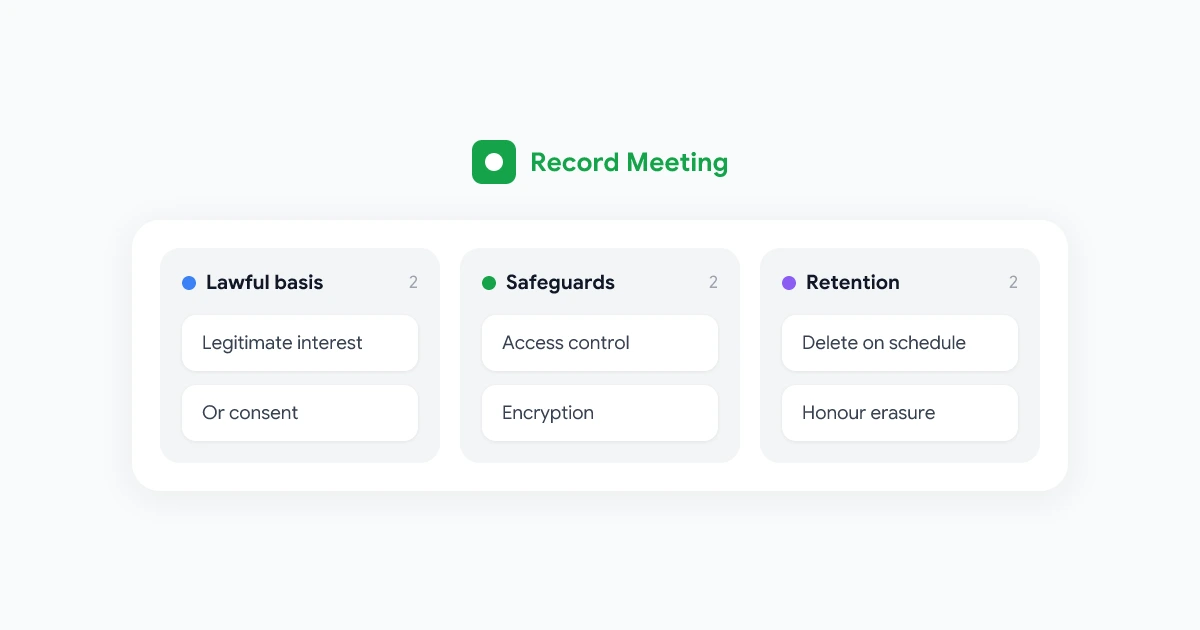
GDPR gives you six lawful bases for processing personal data. For meeting recordings, three matter most.
Choosing a lawful basis
- Legitimate interests. The flexible default for internal business recordings. You can record a training session or a project kickoff because your organisation has a genuine interest in keeping an accurate record, provided that interest is not overridden by the privacy rights of the people involved. You must document a short balancing test that weighs your need against their expectations.
- Consent. Suitable when recording is genuinely optional and people can refuse without disadvantage. Consent under GDPR must be freely given, specific, informed, and as easy to withdraw as it is to give. Pre-ticked boxes and “by joining you agree” banners usually do not meet that standard on their own.
- Contract. Useful when the recording is needed to deliver a service the person asked for, such as a recorded coaching call they signed up for.
When consent is the right basis
Consent is the safest choice when there is a power imbalance or the recording is not strictly necessary. A few examples where you should ask first and accept “no” gracefully:
- Recording a one-to-one with a direct report, where saying no to your manager is hard
- Recording an external customer who did not expect to be captured
- Capturing a webinar where attendees can choose to keep cameras off
If you rely on legitimate interests instead of consent, you still have to be transparent. People must know recording is happening, why, and how to object. A clear verbal notice at the start of the call plus a line in the calendar invite covers most situations.
"This call is being recorded so the team can review action items afterwards. The recording stays in our shared workspace for 90 days and then it is deleted. If you would prefer not to be recorded, tell me now and I will stop."
Recording Meetings Without Consent: Where Teams Get It Wrong
Searches for “GDPR recording meetings without consent” usually come from a real worry: someone recorded a call and now the team is unsure if it was allowed. Here is how to reason about it.
Recording without explicit consent can be lawful if you rely on a different basis such as legitimate interests, and you were transparent about it. What is rarely defensible is recording in secret. Covert recording removes the person’s ability to object, which breaks the fairness and transparency principle at the heart of GDPR.
Common mistakes that turn a routine recording into a complaint:
- No notice at all. Hitting record without telling anyone, then sharing the file later.
- Buried notice. A consent line hidden in a privacy policy nobody reads, used as cover for surprise recording.
- Function creep. Recording a meeting for note-taking, then reusing it for a performance review or a disciplinary case it was never meant for.
- Over-sharing. Sending the recording to people who were not on the call and have no need to see it.
The fix is process, not panic. Announce recording every time, write down your lawful basis, restrict who can open the file, and never repurpose a recording for something the original notice did not mention.
Data Subject Rights That Apply to Recordings
Once a recording exists, the people in it gain rights you have to be able to honour. The big ones for meeting recordings:
- Right of access. A participant can ask for a copy of the recording or transcript that features them. You need to be able to find it and, where possible, redact other people.
- Right to erasure. Often called the right to be forgotten. If your basis was consent and someone withdraws it, or the recording is no longer needed, you may have to delete it.
- Right to object. When you rely on legitimate interests, a person can object to the processing, and you must stop unless you have compelling grounds to continue.
- Right to rectification. If a transcript misattributes a quote or contains an error about a person, they can ask you to correct it.
These rights are far easier to meet when recordings live in one organised, searchable location rather than scattered across personal drives and chat threads. A workflow that stores files in a controlled shared workspace, like the one described in our where Google Meet recordings are saved guide, turns a stressful data request into a two-minute task.
GDPR Retention Rules for Meeting Recordings
GDPR does not set a fixed number of days. The storage limitation principle says you keep personal data only for as long as the purpose requires, then you delete it. So the rule is simple to state and easy to break: decide a retention period up front, write it down, and automate the deletion.
Sensible defaults that most EU and UK teams can justify:
| Recording type | Typical retention | Why |
|---|---|---|
| Internal standup or status call | 30 to 90 days | Action items are captured quickly, the video has little long-term value |
| Project kickoff or training | 6 to 12 months | Useful for onboarding new joiners during the project |
| Customer or sales call | Length of the contract plus a short buffer | Tied to delivering and evidencing the service |
| HR or disciplinary recording | Per your HR retention policy and local law | Often shorter and tightly access-controlled |
Avoid “keep everything forever.” An archive of unneeded recordings is pure liability: more data to secure, more to disclose in an access request, and more to lose in a breach. Set a default deletion window, document the exceptions, and review the archive on a schedule.
 Try Record Meeting
Record Google Meet from the browser with no bot joining the call. Recordings, transcripts, and summaries stay inside your own Google Workspace, so you keep control of access and retention.
Get Started Free
A GDPR-Ready Meeting Recording Workflow
You do not need a legal team to run a compliant process. You need a repeatable workflow. Here is one that maps directly to the GDPR principles above.
- Decide your lawful basis before you record. For most internal meetings that is legitimate interests with a one-paragraph balancing note kept on file. For optional or sensitive calls, ask for consent.
- Announce recording at the start, every time. Say what you are recording, why, how long you keep it, and how to object. State it out loud and add a line to the invite.
- Keep recordings in a controlled workspace. Store files in a dedicated shared drive with role-based access. Block “anyone with the link” sharing and require strong authentication.
- Minimise what you capture. Stop recording when the substantive part of the meeting ends. Avoid recording casual chat or screen shares with unrelated personal data.
- Set a retention period and automate deletion. Tag each recording with a delete-by date and let a scheduled job clear the archive.
- Log access and be ready for requests. Keep a simple record of who can open recordings so you can answer an access or erasure request fast.
Run this the same way every time and your accountability story writes itself.
Special Cases: Teams, UK GDPR, and AI Transcripts
Recording Teams meetings under GDPR. The platform changes nothing about the law. Whether you record in Google Meet, Zoom, or Microsoft Teams, the same lawful basis, transparency, and retention rules apply. What matters is where the file ends up and who controls it.
UK GDPR. After Brexit, the UK kept GDPR almost word for word as the UK GDPR, enforced by the Information Commissioner’s Office (ICO). For meeting recording the practical rules are effectively the same as the EU version, so a single policy can cover both as long as you name the right regulator and any cross-border transfer safeguards.
AI transcripts and summaries. A transcript is still personal data, and the tool that generates it is processing on your behalf. Check whether the provider acts as a processor under a data processing agreement, where the data is processed, and whether your content is used to train models. Our AI meeting notes guide covers good hygiene that applies in regulated settings too. Keeping recordings and transcripts inside your own Google Workspace, rather than a separate vendor cloud, removes a whole layer of this risk.
For the human side of all this, our remote meeting recording etiquette guide pairs well with the legal rules here.
Frequently Asked Questions
Bottom Line
GDPR meeting recording comes down to a short checklist you can run on every call: pick a lawful basis, tell people clearly, capture only what you need, store it securely, and delete it on schedule. Get those five things right and recording becomes a genuine asset, better notes, fewer “what did we agree” arguments, and faster onboarding, without the compliance risk.
The easiest way to stay compliant is to keep recordings, transcripts, and summaries inside infrastructure you already control. Review your setup against the Record Meeting security overview, tidy up your shared drive permissions this week, and write down a retention period before your next recorded call.