Board Meeting Minutes Automation: Format, Templates, and AI Workflows
Learn the board meeting minutes format, see sample sections, and automate drafts from Google Meet recordings with transcripts your governance team can review.

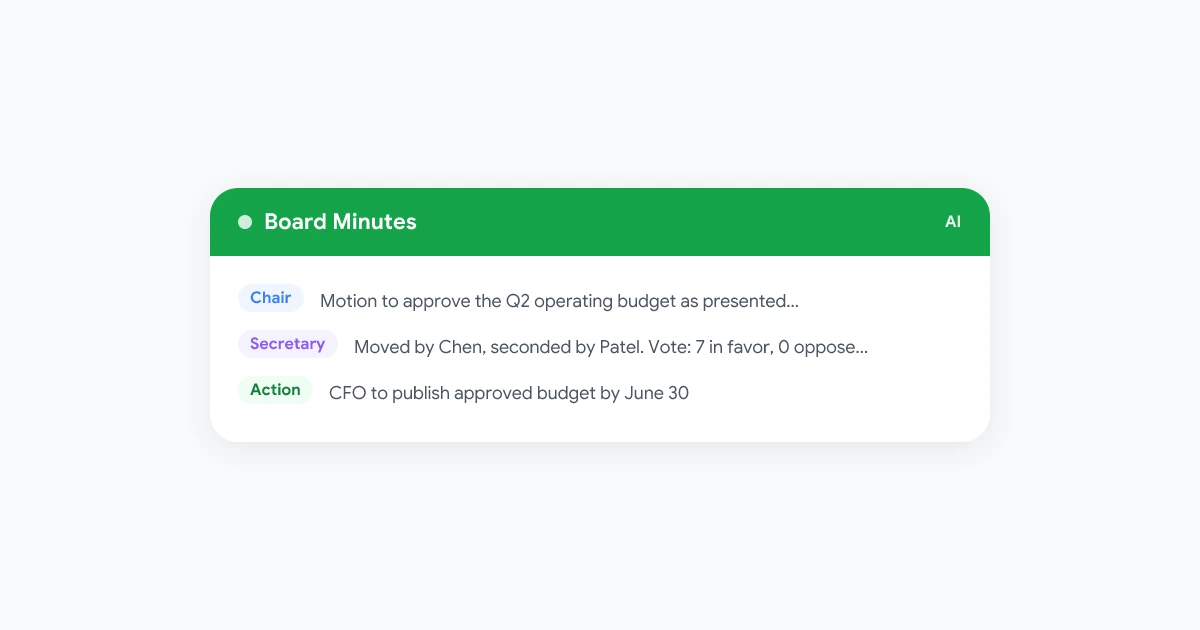
Board meeting minutes are the official record of what your board decided, not a transcript of every comment in the room. When a secretary still types from memory after a two-hour hybrid session, motions get paraphrased, votes blur together, and the draft arrives too late for directors to review calmly.
Automation fixes the capture step. Record the session, generate a timestamped transcript, and map decisions into your board meeting minutes format before a human approves the final version. This guide covers the template sections governance teams expect, board meeting minutes best practices from corporate counsel, and a practical workflow for Google Meet boards that use browser-based recording.
For the AI layer on everyday calls, see our guide on how to take better meeting notes with AI. If your board recordings need longer storage windows, pair this process with a meeting recording retention policy.
Key takeaways
- Minutes record actions: attendance, quorum, motions, votes, and adjournment. They are not a word-for-word transcript.
- Use a fixed template: the same board meeting minutes format every meeting makes review and search easier.
- Capture motions verbatim: paraphrasing a motion can create legal ambiguity later.
- Automate the draft, not the approval: AI and recordings produce working drafts. The board still approves the official record.
- Control access: treat drafts and recordings as confidential until approved and distributed on secure channels.
What board meeting minutes are (and what to leave out)
According to Robert’s Rules guidance on minutes, minutes document what was done at the meeting, not what each person said. DLA Piper’s corporate minutes best practices note that well-drafted minutes show directors fulfilled fiduciary duties and approved key transactions clearly.
Include:
- Meeting metadata: organization name, meeting type, date, start and end time, location or virtual platform
- Attendance: directors present, absent, guests, and staff
- Quorum: explicit confirmation that the board could conduct business
- Approvals: prior minutes and agenda, with corrections noted
- Motions and votes: exact motion wording, mover (if your bylaws require it), vote method, and tally
- Resolutions and delegated authority: adopted text or reference to an exhibit
- Action items: owner and deadline when assigned at the table
- Adjournment: time the meeting ended
Leave out:
- Verbatim debate and individual opinions
- Withdrawn motions (unless your parliamentary authority says otherwise)
- Lengthy guest speaker remarks (capture only what affects a decision)
- Praise or criticism that does not belong in a formal record
That distinction matters when you automate. A raw Google Meet transcript is source material. The published board meeting minutes sample your board approves should be shorter, neutral, and past tense.
Board meeting minutes format and template
A reusable board meeting minutes template keeps structure consistent so directors know where to look. Board governance guides typically recommend these blocks in order:
Header block
[Organization Name]
[Regular / Special] Meeting of the Board of Directors
Date: [Month DD, YYYY]
Time: [Start] to [End] [Time zone]
Location: [Address] / [Virtual platform, e.g., Google Meet]
Attendance and quorum
List each director as present or absent. Note invited guests (counsel, auditors, executives) and whether a quorum existed under your bylaws.
Consent agenda and approvals
Document approval of the prior meeting’s minutes and the current agenda. Note any corrections to prior minutes line by line.
Proceedings by agenda item
For each item:
- Summary: one to three sentences on the issue and key discussion points (only when needed for context)
- Motion: the exact words of the motion as moved
- Vote: method (voice, roll call, unanimous consent) and outcome
- Resolution: final adopted language or “See Exhibit A”
Action items (optional consolidated section)
Some teams capture actions inline under each item. Others add a closing list:
- [Owner]: [Deliverable] by [date]
Both approaches work if you pick one and stay consistent.
Adjournment and signature block
Record adjournment time. After approval at a later meeting, add signature lines for the secretary and chair if your jurisdiction or bylaws require them.
Export this skeleton to Word or Docs as your board meeting minutes template word file, then reuse it every cycle.
Board meeting minutes examples for common scenarios
These board meeting minutes examples show the tone and detail level counsel usually wants. Adapt placeholders to your bylaws.
Example: budget approval with roll-call vote
5. Approval of FY2027 Operating Budget

The CFO presented the proposed operating budget. After discussion, Director Chen moved
to approve the budget as presented. Director Patel seconded the motion.

Roll-call vote: For: Chen, Patel, Okonkwo, Singh, Rivera, Kim, Foster. Against: none.
Abstain: none. Motion adopted.

Action: CFO to publish the approved budget to the board portal by July 15, 2026.
Example: executive session (high level only)
8. Executive Session

The board entered executive session at 3:42 p.m. for discussion of [personnel /
compensation / pending litigation] pursuant to [bylaw or statute citation]. No formal
action taken. The board returned to open session at 4:05 p.m.
For executive sessions, minutes often record that the session occurred and any final action taken in open session afterward. Sensitive deliberation stays out of the published record, as confidentiality guidance for boards explains.
Example: committee report to the board
4. Audit Committee Report

The Audit Committee Chair reported that the committee met on May 28, 2026, reviewed
Q1 financials with management and external auditors, and found no matters requiring
board action beyond receipt of the report.

Motion: Receive and file the Audit Committee report. Approved by unanimous consent.
Committee board meeting minutes follow the same action-focused rules. The full committee book may stay with the committee file, but the board minutes should reflect reports and any board-level votes.
Board meeting minutes best practices
Corporate governance field guides stress that minutes may be reviewed in litigation or shareholder books-and-records requests. These habits keep the record defensible:
- Write in third person, past tense: “The board approved” not “We think we approved.”
- Stay neutral: no adjectives about whether a debate was “heated” or a report was “excellent.”
- Draft quickly: aim to circulate a draft within 48 to 72 hours while memory is fresh.
- Use version control: label drafts clearly. Do not overwrite a draft after directors begin commenting.
- Match your retention rules: board recordings and transcripts often need longer hold periods than routine team calls. Document the category in your meeting recording policy template.
- Destroy personal notes: DLA Piper warns that informal notes and drafts may be discoverable and are not protected like final approved minutes.
Virtual and hybrid boards should note the platform used, how quorum was established across locations, and any technical issues that affected voting. If your board also runs high-stakes external calls, the same discipline applies. Teams that record customer conversations often use a parallel workflow on our sales call recording use case page.
How to automate board meeting minutes from Google Meet
Dedicated board portals can generate minutes inside their workflow. Many mid-size and startup boards already meet on Google Meet and want a lighter stack: record in the browser, transcribe with speaker labels, then shape the output into your template.
That is where board meeting minutes automation starts without replacing your governance process.
Why recording helps the secretary
Manual note-taking during a board meeting splits attention. The secretary misses nuance while typing a motion. A recording plus transcript lets the author:
- Replay the exact motion wording
- Confirm vote counts and abstentions
- Jump to timestamps for each agenda item
- Share a draft summary with the chair before circulation
Automation does not remove the secretary. It gives them better inputs. Governance-focused AI guidance still recommends human review before anything becomes the official record.
Recommended automation workflow
Before the meeting
- Publish the agenda in your board portal or shared drive.
- Confirm recording is allowed under your bylaws, state law, and any participant agreements.
- Add consent language to the calendar invite if your recording policy requires it.
- Open your board meeting minutes template with agenda items pre-filled as headings.
During the meeting
- Start recording when the chair calls the meeting to order (not during pre-meeting chat).
- State the motion clearly before voting. Ask directors to repeat exact wording if needed.
- For roll-call votes, ask the secretary or chair to read names and responses aloud for the transcript.
- Pause or segment recording only if your policy treats breaks differently (optional).
After the meeting
- Generate a transcript with speaker identification and timestamps. See our Google Meet transcript guide for export options.
- For each agenda section, pull: decision made, motion text, vote result, and assigned actions.
- Delete debate that does not affect the record. Keep the minutes action-focused.
- Send the draft to the chair and corporate secretary for review within 48 to 72 hours.
- Present the corrected draft for approval at the next board meeting.
- Store the approved PDF in your board portal. Apply retention and access rules from your retention policy.
 Try Record Meeting
Record Google Meet from the browser without a bot joining the call. Get transcripts, summaries, and searchable archives your governance team can turn into board meeting minutes drafts.
Get Started Free
Where AI fits (and where it stops)
Generic AI pasted with a full transcript may invent motions or flatten votes. A safer pattern:
- Input: agenda + timestamped transcript (and committee reports already on file)
- Task: fill each template section with decisions, motions, and actions only
- Output: draft minutes clearly labeled “DRAFT, not approved”
- Review: secretary and chair correct errors before circulation
Never publish AI output as final board meeting minutes of listed company filings or public records without counsel review. Listed and regulated entities face disclosure rules that go beyond what any recorder provides.
Troubleshooting common automation mistakes
| Mistake | Fix |
|---|---|
| Publishing the raw transcript as minutes | Transcript stays internal. Minutes stay short and action-focused. |
| Paraphrasing motions | Quote the motion exactly as adopted. |
| Missing quorum line | Add an explicit quorum sentence in every set of minutes. |
| Mixing draft and approved files | Use filenames with status and date. Archive approved PDFs separately. |
| Ignoring retention on recordings | Tag board sessions in your retention schedule. Counsel may require multi-year hold. |
| No consent on recorded sessions | Follow your jurisdiction and board policy on notice and consent. |
If transcription quality drops, check audio (headsets for remote directors, mute when not speaking) and revisit mic settings before the next meeting.
Frequently asked questions
Build a minutes workflow your board can trust
Strong board meeting minutes come from a consistent board meeting minutes format, clear rules about what belongs in the record, and capture tools that help the secretary work from facts instead of memory. Automate transcription and first drafts. Keep human review and formal approval at the center.
Start with a template aligned to your bylaws, add a recording step for Google Meet sessions, and wire retention plus access rules before your next quarterly board meeting. Install Record Meeting to capture Meet calls with transcripts your team can shape into draft minutes the same week.