Read AI Alternative: Best Meeting Intelligence Tools Compared
Looking for a Read AI alternative? Compare Record Meeting, Fireflies, Otter, and Grain on transcripts, analytics, pricing, and Google Meet support.

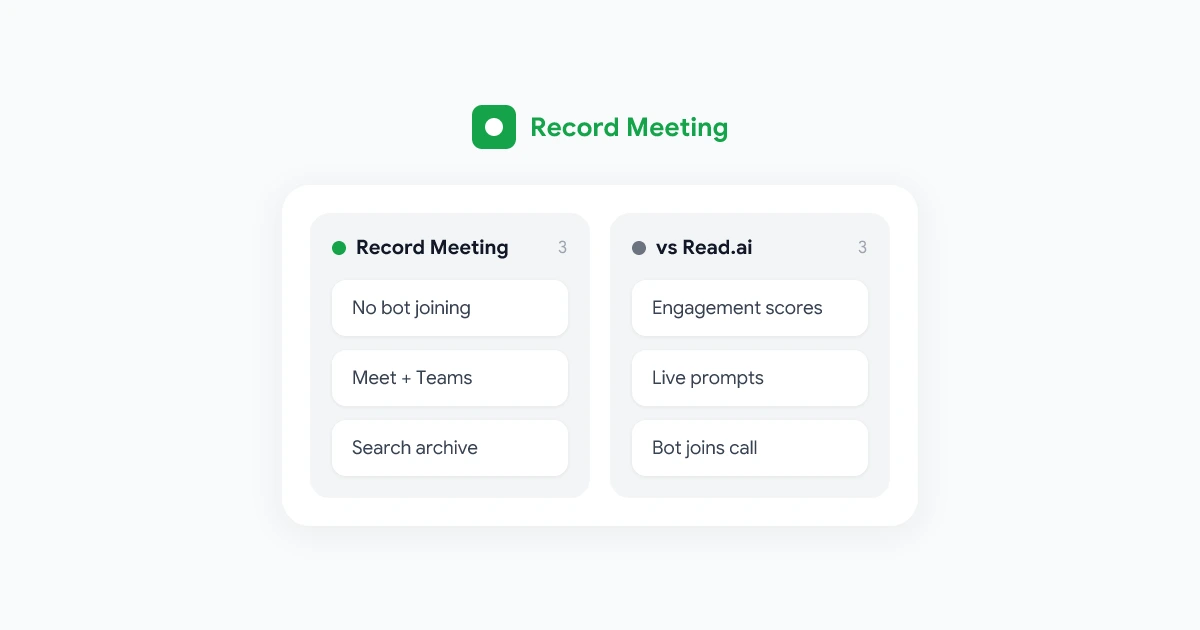
If you need a Read AI alternative, start with what you actually use Read.ai for. Read.ai pairs transcripts with engagement analytics, attention scores, and real-time coaching prompts during calls. Teams switch when they want simpler archives, fewer bots in the room, or pricing that does not bundle analytics they never open.
This guide compares the best Read.ai alternatives for remote teams in 2026. You will see where each tool wins, where Read.ai still leads on meeting intelligence metrics, and how to pick one recorder for your whole stack.
For a direct feature and price breakdown, see our Record Meeting vs Read.ai comparison. For how the category is shifting beyond analytics dashboards, read the state of meeting intelligence in 2026.
Key takeaways
- Match workflow to tool: Analytics-first teams may stay on Read.ai. Transcript-and-search teams often move to Record Meeting.
- Bot visibility: Read.ai joins calls as a participant. Record Meeting captures from the browser without a named third-party guest.
- Pricing: Most alternatives land between $10 and $20 per user per month. Free tiers exist but cap recorded hours.
- Compliance: Pair any recorder with a written policy. Use our meeting recording policy template before you scale recording across the company.
- Try before you commit: Run your top two options on the same call type for two weeks. Compare transcript quality, summary usefulness, and admin controls.
Why teams look beyond Read.ai
Read.ai built a strong position in meeting intelligence. It records the call, labels speakers, and adds engagement signals that go beyond a plain transcript. Managers see who spoke most, where attention dipped, and how sentiment shifted across the hour.
Common reasons teams look elsewhere:
- Analytics overload: Revenue and ops teams often need searchable text, not weekly engagement scorecards.
- Bot fatigue: Read.ai joins as a meeting participant. Some customers, candidates, and executives ask to remove the recorder before the call starts.
- Google Meet-first stacks: Teams standardized on Google Workspace want capture that fits Meet without extra calendar plumbing.
- Budget consolidation: Paying for Read.ai plus a separate archive tool creates overlap. One approved recorder simplifies IT review.
- Retention and sharing: As recording volume grows, teams need clearer retention rules and tighter link defaults. Our guide to sharing meeting recordings securely covers the post-call side of that problem.
None of this means Read.ai is wrong. It means your requirements may have outgrown an analytics-heavy product.
What Read.ai does well (and where it stops)
Read.ai remains strong when behavioral context matters as much as content:
- Engagement analytics: Attention and participation signals sit beside the transcript for coaching and manager review.
- Real-time prompts: Live suggestions during the call help reps stay on agenda or recover when a topic runs long.
- Cross-platform coverage: Zoom, Google Meet, and Microsoft Teams are supported through a calendar-connected bot.
- Searchable workspace: Past calls, summaries, and highlights live in one library for team lookup.
Read.ai is less ideal when:
- You rarely open the analytics tab. If nobody checked engagement scores last quarter, you are paying for a layer you do not use.
- Guests push back on bots. External calls with legal, healthcare, or executive stakeholders need minimal visible presence.
- You need clip-first sales workflows. Read.ai is intelligence-first. Teams that ship short highlight reels may prefer a clip-native tool. See our Grain alternative guide for that workflow.
- Global teams need broad language coverage. Confirm each alternative’s locale list against real meeting languages before you migrate.
Understanding those tradeoffs makes the rest of this comparison useful instead of a generic feature checklist.
Best Read.ai alternatives at a glance
| Tool | Best for | Platforms | Standout strength | Typical paid price |
|---|---|---|---|---|
| Record Meeting | Google Meet-heavy teams, transcript search, no bot | Google Meet, Zoom, Teams | Browser extension, 16 languages, searchable archive | Competitive free tier, paid plans similar to Read.ai |
| Read.ai | Engagement analytics and coaching | Zoom, Meet, Teams | Attention scores and live meeting prompts | ~$15 to $19/user/mo |
| Fireflies.ai | CRM-heavy sales orgs | Zoom, Meet, Teams, others | Bot joins call, CRM auto-logging | Free tier, paid from ~$10/user/mo |
| Otter.ai | English-first note-taking | Zoom, Meet, Teams | Fast English transcription, OtterPilot bot | Free tier, paid from ~$17/user/mo |
| Grain | Sales clip workflows | Zoom, Meet | Video clipping and highlight sharing | ~$15 to $19/user/mo |
| Fathom | Individual reps on Zoom | Zoom (primary) | Free tier for personal use, instant summaries | Free for individuals, team plans paid |
Prices change. Treat the table as directionally accurate and confirm on each vendor’s pricing page before procurement.
Record Meeting for Google Meet and transcript search
Record Meeting is the strongest alternative to Read.ai when your team records Google Meet daily, needs Microsoft Teams coverage, and spends more time searching transcripts than reviewing engagement charts.
How it differs from Read.ai
- No bot in the participant list: Record Meeting runs as a Chrome extension and Google Workspace add-on. Capture happens in the browser without a visible third-party guest.
- Archive-first design: Every call lands in a searchable workspace with AI summaries, speaker labels, and timestamp links. You can jump to a moment without parsing analytics overlays.
- Broader platform support: Google Meet, Zoom, and Microsoft Teams on one stack. Mixed environments do not need a second recorder.
- 16 languages: Useful for distributed teams where English is not the default meeting language.
Where Read.ai still wins
Read.ai’s engagement analytics and real-time coaching prompts remain more developed for managers who evaluate presentation skills or run large coaching programs. Record Meeting covers the same moments through summaries and timestamp search, but the behavioral metrics layer is Read.ai’s home turf.
Who should choose Record Meeting
- Operations, product, and HR teams that replay full calls and search text
- Companies standardized on Google Workspace and Google Meet
- Teams that also record Microsoft Teams and want one vendor
- Organizations writing a formal recording policy and need IT-friendly browser-based capture
Install Record Meeting from the Chrome Web Store or the Google Workspace Marketplace, then run it on two recurring meetings before you cancel Read.ai.
Other meeting recorders worth evaluating
Fireflies.ai
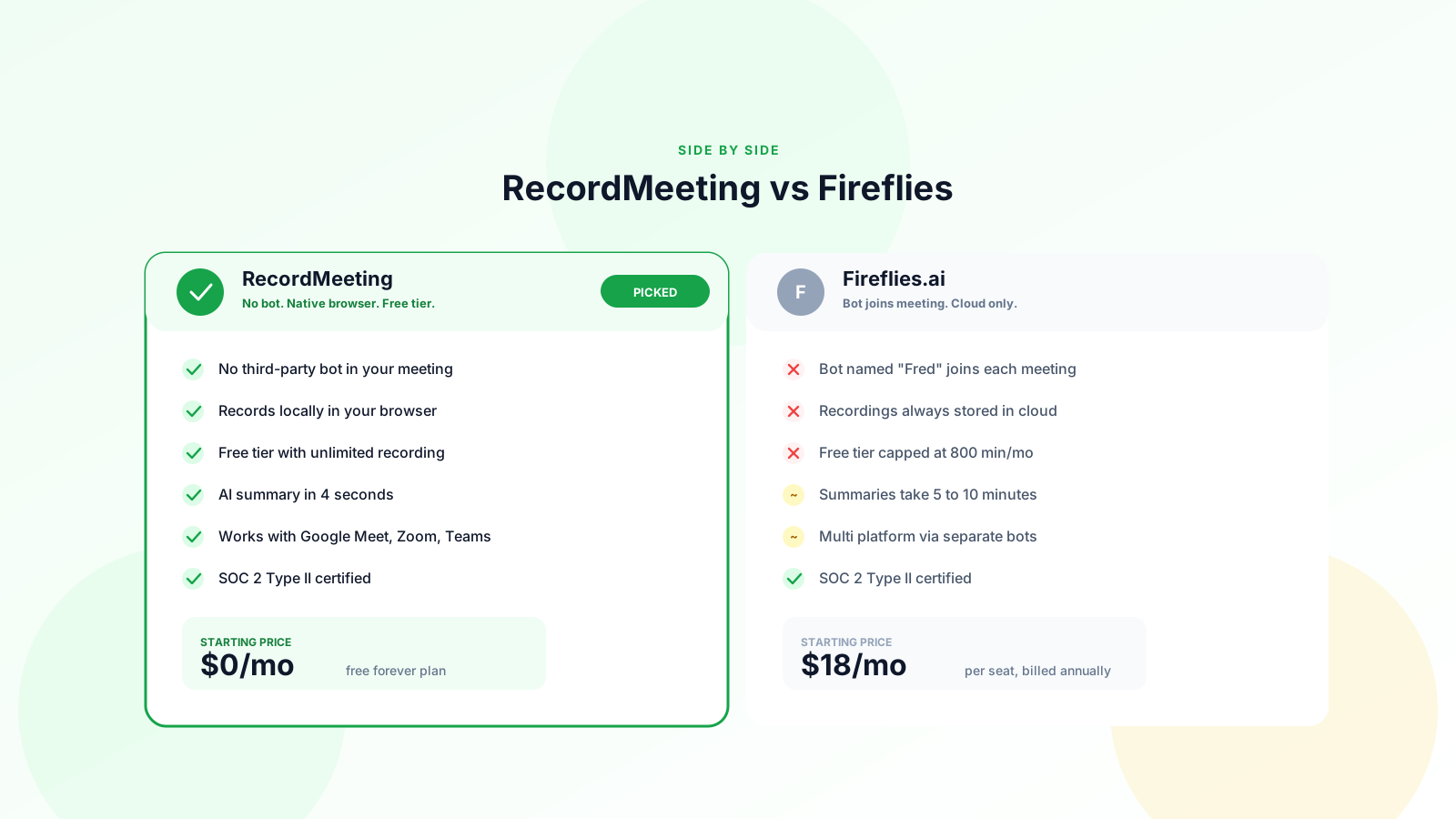
Fireflies targets revenue teams that want transcripts, summaries, and CRM updates in one pipeline. A bot joins the call, which creates the same visibility tradeoff as Read.ai. Choose Fireflies when auto-logging to Salesforce or HubSpot matters more than invisible capture. For a full breakdown, see why modern teams choose Record Meeting over Fireflies.
Otter.ai
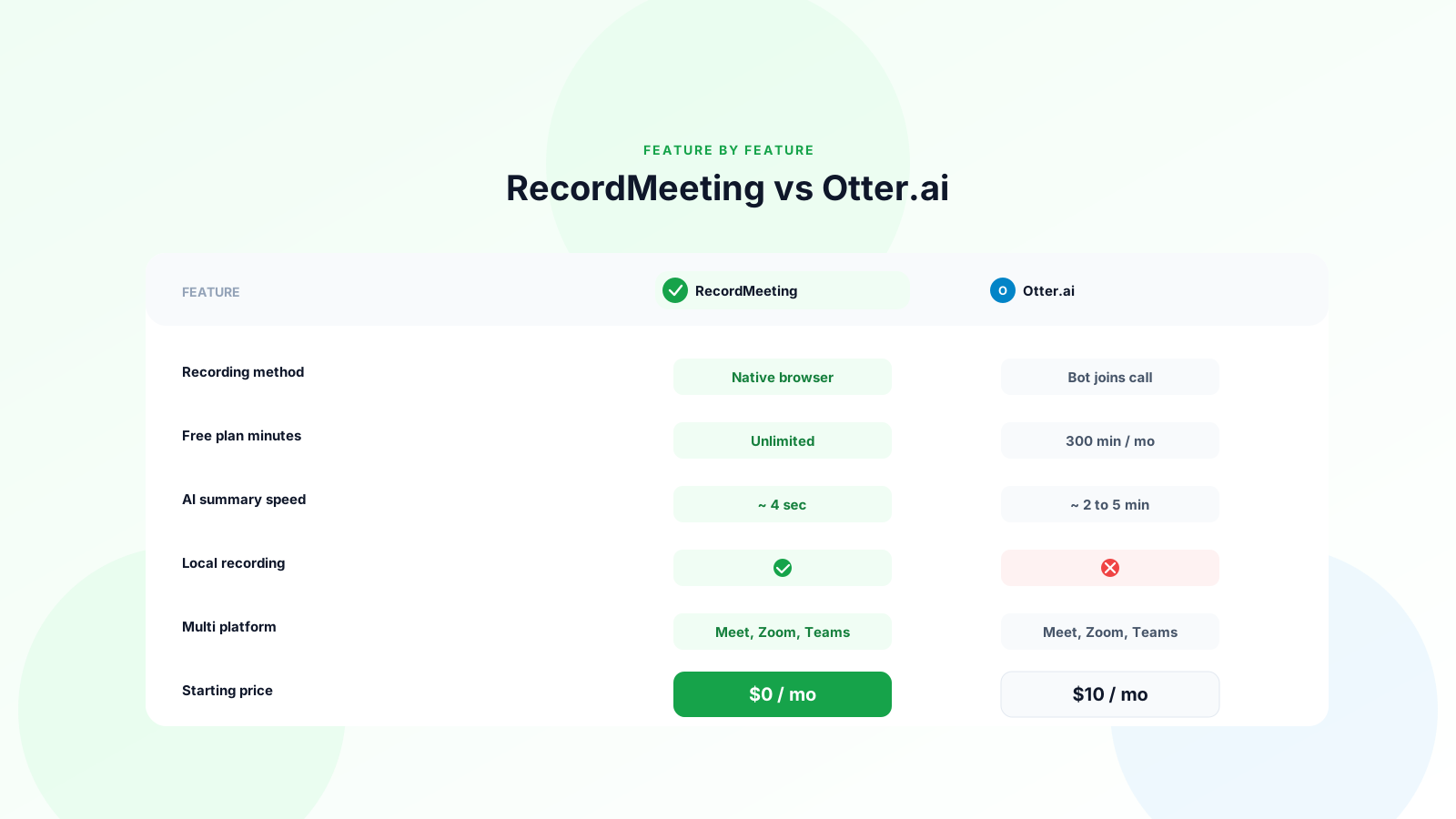
Otter remains a default pick for English-language note-taking. OtterPilot joins as a bot. Transcription quality is strong for US and UK English. Teams that need Spanish, French, or Japanese may find coverage narrower than Record Meeting’s locale list. See our Record Meeting vs Otter.ai comparison for a full breakdown.
Grain
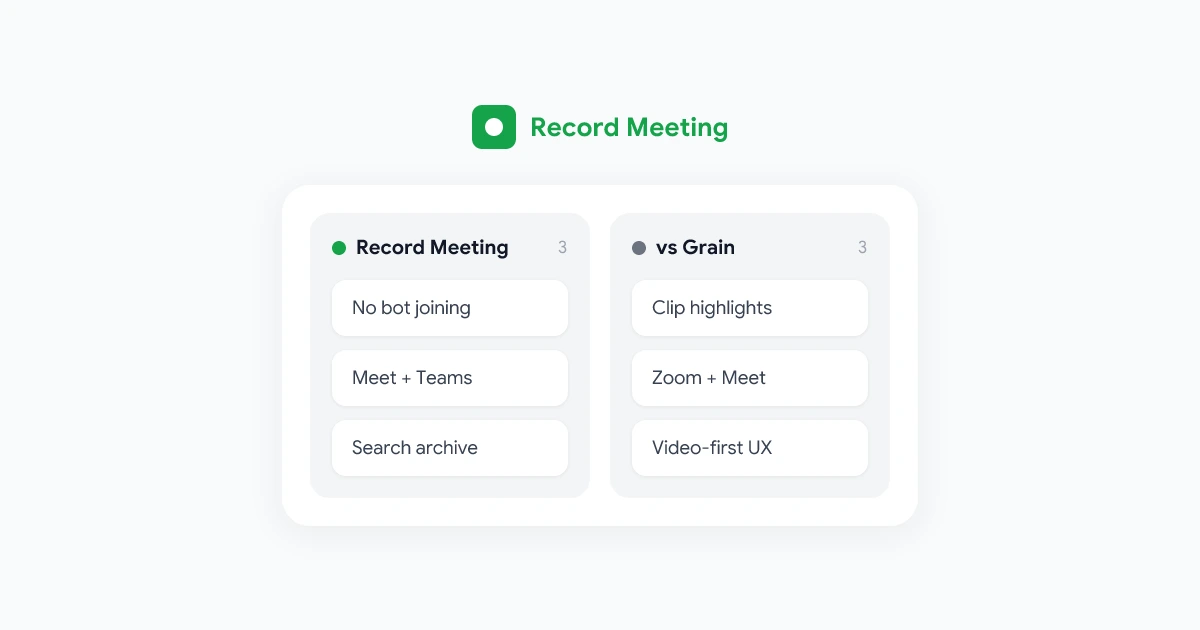
Grain competes on clipping customer quotes and sharing short video moments from sales calls. Strong option if highlight reels stay central and you do not need engagement analytics. It does not cover Microsoft Teams natively.
Fathom
Fathom gives individual reps free AI summaries on Zoom with minimal setup. It is less suited as a company-wide archive when you need centralized retention, admin controls, and Google Meet at scale.
How to choose the right meeting recorder
Work through these five questions with IT, sales ops, and whoever owns compliance:
- Which platforms do we record on? If Teams appears in the answer, confirm every finalist supports it.
- Analytics or search? Count how many times someone opened engagement reports last month. If the number is low, prioritize transcript search over behavioral dashboards.
- Bot tolerance? Ask customer success whether external guests ever ask to remove the recorder. Browser-based capture reduces that friction.
- Language needs? Export a sample of last quarter’s calls by locale. Match the tool to real usage, not the HQ default.
- Retention and sharing? Any recorder is only as safe as your storage and link settings. Pair tool selection with a meeting recording policy and secure sharing habits.
Run a two-week pilot. Record the same standup, sales call, and all-hands in your top two tools. Compare transcript accuracy, time to share a recap, and admin setup effort.
Frequently asked questions
What is the best free alternative to Read.ai?
Fireflies, Otter, and Fathom offer usable free tiers for transcription and summaries on supported platforms. Record Meeting also ships a free tier with core recording and transcription. Free plans cap hours or seats, so confirm limits against your monthly meeting volume.
Can I use Record Meeting and Read.ai together?
Some teams keep Read.ai for manager coaching dashboards and Record Meeting for internal Meet and Teams archives. Two recorders increase cost and policy complexity. Most mid-size teams standardize on one after a pilot.
Does Read.ai work with Google Meet?
Yes. Read.ai supports Google Meet, Zoom, and Microsoft Teams through calendar integration and a bot participant. Setup connects your calendar and meeting platform accounts.
Which recorder does not use a meeting bot?
Record Meeting captures from the browser without adding a bot participant. Native Google Meet recording (Workspace editions that include it) also avoids third-party bots but stores files in Drive with different sharing defaults.
How do meeting recorders handle consent and privacy?
Every tool records personal data once someone speaks on camera or on mic. Your lawful basis, notice, and retention rules come from company policy, not the vendor logo. Start with our GDPR meeting recording guide if EU or UK colleagues join your calls.
Pick a recorder that matches how you work
Read.ai earned its place among teams that treat meetings as coaching data. When your ops team searches transcripts more than engagement scores, your guests push back on bots, or your stack is Google Meet-first, it is time to evaluate a recorder that fits the whole company.
Record Meeting is the best fit for Google Meet-first teams that want searchable archives, multi-language transcription, and capture without a visible bot. Fireflies, Otter, Grain, and Fathom each win specific niches. Run a short pilot, align with your recording policy, and standardize on one tool before the next quarter’s call volume doubles.
Try Record Meeting on your next Google Meet call. Install the extension, record a 30-minute team meeting, and search the transcript for a decision you know was made on the call. If you find it in seconds, you have your answer.