How to Record a Job Interview on Google Meet
Learn how to record job interview Google Meet sessions with proper consent, the right tools, and a post-interview workflow HR teams can run today.

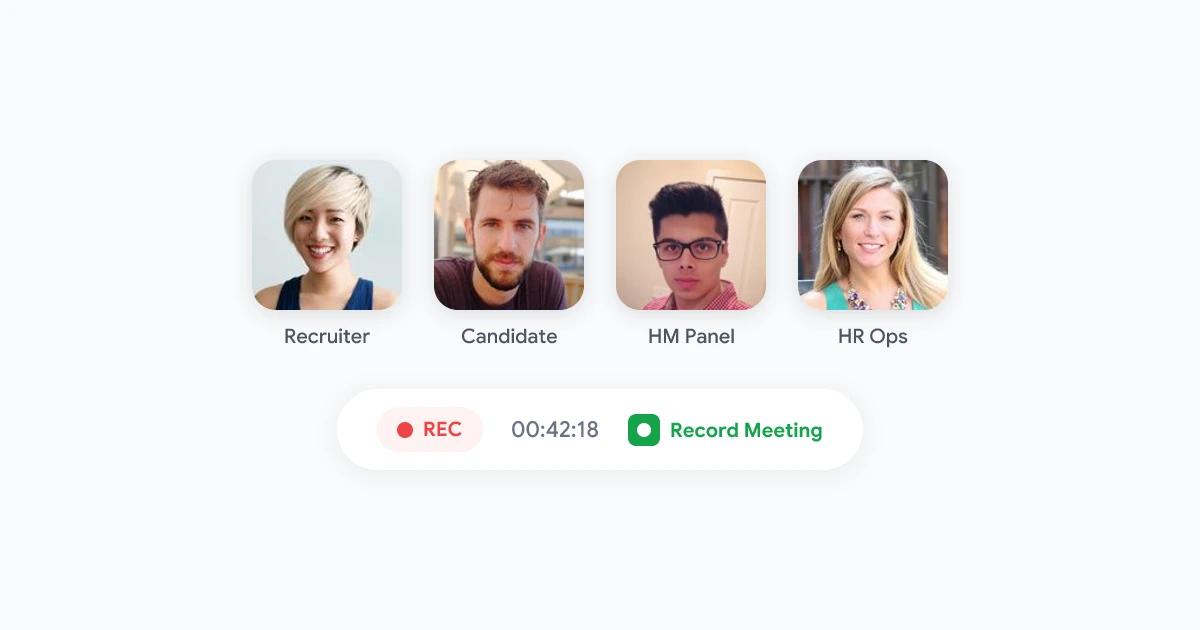
You can record job interview Google Meet sessions when the candidate knows before the call, your company has a written policy, and the file goes to a controlled workspace with a short retention window. Most hiring teams record for one reason: panel members need the same facts when they debrief, not fuzzy memories from back-to-back calls.
Recording a candidate interview is more sensitive than recording an internal standup. You are capturing personal data, often across state or country lines, and the power imbalance matters. This guide covers when recording helps, how to ask for consent, which tools work on Google Meet, and what to do with the file after the call ends.
For a full hiring workflow built around transcripts and panel debriefs, see our hiring interviews use case. For policy language you can hand to legal, start with our meeting recording policy template.
Key takeaways
- Ask early: Put recording notice in the calendar invite and repeat it verbally before questions start.
- Keep retention short: 30 to 90 days is a common window for interview files.
- Limit access: Restrict playback to the hiring panel and documented reviewers.
- Skip the bot: Browser-based recording avoids a third-party notetaker joining the candidate call.
- Use transcripts for debriefs: Searchable text beats replaying a 45-minute video for every panel member.
When recording a job interview on Google Meet makes sense
Not every interview needs a recording. Many teams only capture specific rounds.
Good reasons to record:
- Panel debriefs: Three interviewers compare answers to the same competency questions without scheduling another call.
- Hiring manager handoffs: A leader who missed the live session reviews key moments before the next round.
- Consistency checks: Recruiters confirm every candidate got the same role overview and compensation framing.
- Training: New interviewers watch a redacted example to learn your question style (with candidate consent and identifiers removed).
Skip recording when:
- The candidate asks not to be recorded. Offer a live note-taker or written summary instead.
- Local law or company policy forbids it for that location or role type.
- The conversation covers highly sensitive topics where a transcript creates more risk than value.
According to LinkedIn’s 2024 Future of Recruiting report, remote and hybrid interviews now make up the majority of first-round screens at mid-size and enterprise companies. Google Meet is the default room for many of those calls, which is why HR teams search for a reliable way to capture them without upgrading every interviewer to a paid Workspace tier.
Legal and consent basics for interview recordings
Interview recordings are personal data in most jurisdictions. Treat them like any other HR file, not like a personal productivity clip.
One-party vs all-party consent
United States recording law varies by state. Some states require only one party to consent. Others require every participant to agree. If your recruiter sits in Texas but the candidate joins from California, California’s all-party rule may apply to the whole call.
European and UK teams fall under GDPR-style rules. Consent must be freely given, and candidates should be able to refuse without losing fair consideration. A “by joining you agree” footer in the invite is usually not enough on its own.
Practical rule for HR: Always get explicit verbal consent at the start of the call, even if your state allows one-party recording. Document that notice in your process.
What to say at the start of the call
Keep it short and plain:
“This interview is being recorded so the hiring panel can review your answers accurately. The recording stays in our secure workspace for [X] days and is only visible to people involved in this search. If you prefer not to be recorded, tell me now and we will continue without recording.”
If they decline, stop recording immediately and switch to live notes.
Written policy before the first file
Your legal and people teams should agree on:
- Which interview rounds may be recorded
- Default retention (30, 60, or 90 days)
- Who can open files
- How deletion requests are handled
Our meeting recording policy template includes a hiring-specific retention table you can adapt. For EU hires, pair it with our GDPR meeting recording guide.
Native Google Meet recording vs browser-based tools
Google Meet’s built-in record button has limits that show up often in hiring workflows.
| Approach | Who can record | Candidate sees | Workspace plan needed |
|---|---|---|---|
| Native Meet recording | Host or co-host only | Red “recording” badge in Meet | Business Standard or higher for most tenants |
| Browser extension (Record Meeting) | Any interviewer in the tab | No third-party bot in participant list | Works on free Gmail and paid Workspace |
| Visible AI notetaker bot | Bot account invited to call | Named bot participant | Varies by vendor |
Why HR teams often avoid native Meet recording for interviews:
- The interviewer is frequently not the Meet host. Recruiters schedule the event, but a hiring manager or panel lead runs the room.
- Candidates notice the red recording indicator, which is fine when explained, but some teams prefer a lower-friction experience without a bot name in the participant list.
- Files land in the host’s Google Drive by default, which makes consistent retention and access control harder across a hiring panel.
Browser-based tools capture the audio and video stream in the interviewer’s own Chrome tab. That means the person conducting the interview can start capture without host permission inside Meet. You still must tell the candidate. Technology does not replace consent.
For a deeper look at participant-side capture, see how to record Google Meet without host permission.
Step-by-step: record a Google Meet job interview
This workflow assumes the recruiter or hiring manager runs the interview from Google Chrome.
Before the call
- Add notice to the calendar invite. Example line: “This session may be recorded for hiring evaluation. The recording is stored securely and deleted within 90 days.”
- Confirm your company policy allows recording for this role and location.
- Install Record Meeting from the Chrome Web Store or your Workspace admin-approved list.
- Test audio once on an internal mock call. Headphones reduce echo in the candidate recording.
During the call
- Join Google Meet and wait until the candidate is connected.
- Deliver the verbal consent script. Wait for acknowledgment.
- Click the Record Meeting extension icon and start recording.
- Run the interview as usual. The extension captures your tab audio and video.
- When the interview ends, stop recording. The file uploads to your Record Meeting workspace with a transcript and summary.
No bot joins the Meet room. The candidate sees the same participant list as any normal call, plus whatever notice you give verbally.
After the call
- Review the transcript for accuracy before sharing.
- Share only with the hiring panel using workspace permissions, not a public Drive link. See how to share meeting recordings securely for a full post-record checklist.
- Tag the file with requisition ID, interview round, and date.
- Set a deletion reminder aligned with your retention policy.
HR workflow: from recording to hiring decision
A recording only helps if the debrief process is clear.
Panel debrief without another meeting
Send panel members a link to the transcript, not always the full video. Most reviewers search for:
- Answers to competency questions
- Salary or notice-period discussion
- Examples the candidate gave for leadership or conflict scenarios
Structured notes from the AI summary give everyone the same starting point. Anyone who wants nuance on delivery or tone can open the recording.
Compare candidates fairly
When multiple candidates answer the same question set, transcripts make side-by-side review possible. Recruiters highlight quoted answers in the debrief doc instead of paraphrasing from memory, which reduces bias from recency effects.
Tip: Score candidates against a written rubric before re-reading transcripts. That keeps the recording as evidence, not the first impression.
Redaction and training use
If you reuse an interview clip for interviewer training, get separate consent or strip identifying details. Remove name, employer, and location references from both video and transcript. Many teams use only internal mock interviews for training instead of real candidate files.
Retention and deletion
Interview recordings should not live forever. A typical policy:
- 30 days: Enough for debrief and reference checks in fast-moving searches.
- 60 to 90 days: Common when offer negotiations or audits run longer.
- Delete on hire or rejection: Once the requisition closes, delete files unless litigation hold applies.
Document the deletion date in your ATS or HRIS ticket so compliance can verify it later.
What to avoid
A few patterns create legal exposure and candidate trust problems.
- Secret recording. Never record without telling the candidate. It violates policy in most companies and law in many regions.
- Personal Drive storage. Files in a recruiter’s personal Google account outlive their employment and bypass IT controls.
- “Anyone with the link” sharing. One Slack paste can expose salary talk and references to the whole company.
- Keeping recordings “just in case.” Indefinite retention increases breach impact and makes GDPR deletion requests harder.
- Visible notetaker bots on candidate calls. Some candidates assume a bot means automated screening. Browser-based capture keeps the room professional. Our hiring interviews workflow walks through this setup end to end.
For day-to-day norms on announcing recordings across remote teams, read our meeting recording etiquette guide.
Choosing the right setup for your hiring team
Use native Google Meet recording if:
- Your company already standardizes on Workspace Business Plus or higher
- The recruiter is always the Meet host
- IT wants files in Google Drive with Vault retention
Use Record Meeting if:
- Interviewers are on mixed Gmail and Workspace plans
- Panel leads, not recruiters, host the Meet
- You want transcript, summary, and video in one workspace without a bot in the candidate call
- You need consistent retention across recruiters in different regions
Either way, the consent conversation matters more than the tool. Candidates remember how you asked, not which button you clicked.
Record job interview Google Meet sessions the right way
Recording helps hiring teams make fairer, better-documented decisions when consent is clear, access is narrow, and files disappear on schedule. The best setups pair a short verbal notice, a written policy, and a workspace built for searchable transcripts rather than endless video replays.
Next steps for your team:
- Add interview recording rules to your HR policy (or start from our policy template).
- Put calendar invite language in your interview scheduling template today.
- Run one recorded mock interview internally to test audio and sharing permissions.
Install Record Meeting and walk through the hiring interviews use case to see how panel debriefs work with transcript-first review.