
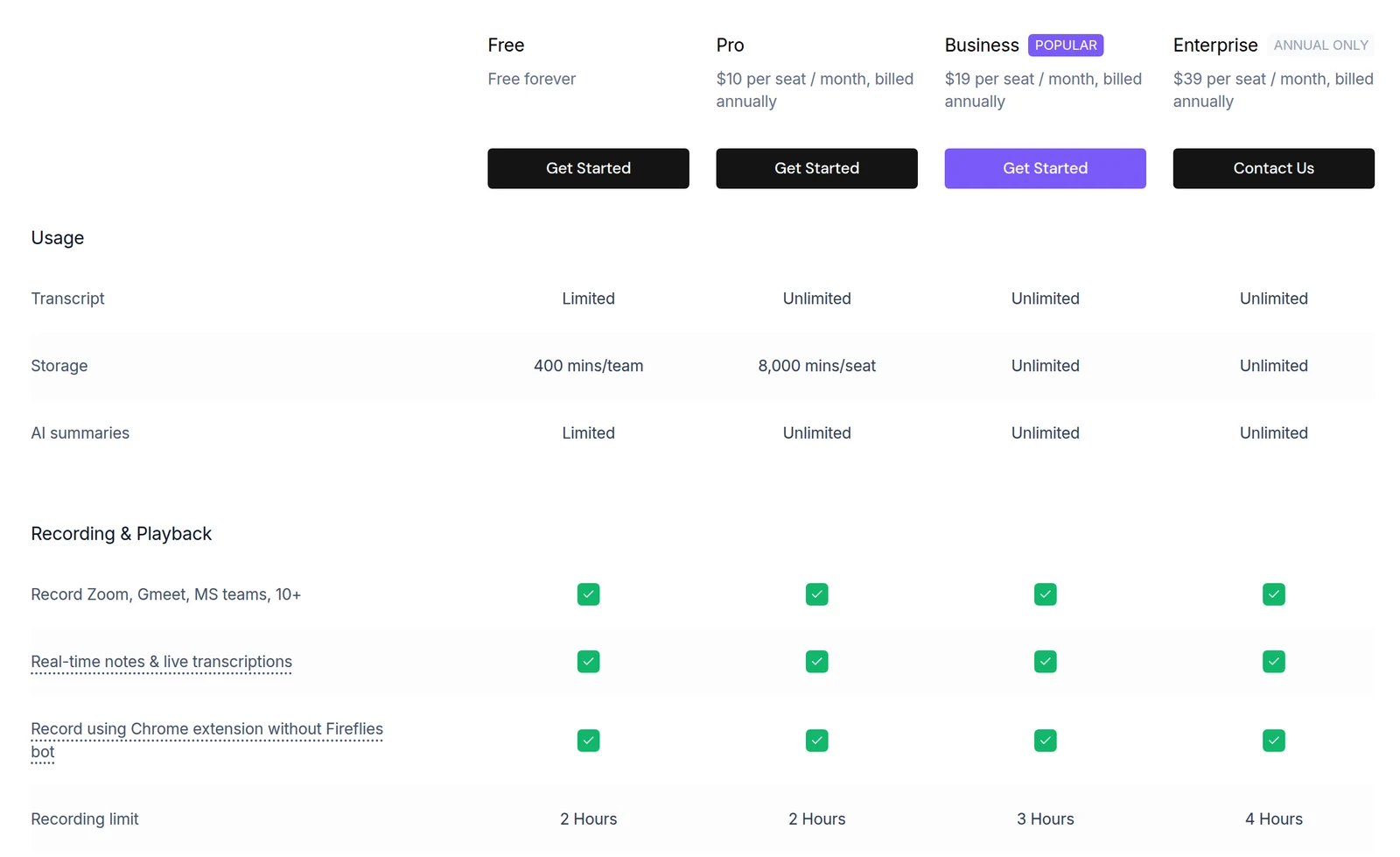
Fireflies.ai has four plans in 2026, all priced per seat. Free costs nothing. Pro is $18 per seat per month, or $120 per seat when you pay for a year. Business is $29 per month, or $228 for a year. Enterprise is sold by the year only, at $468 per seat.
Those numbers are only part of Fireflies AI pricing. Every plan also has a storage cap or a recording limit, and the newer AI features run on credits that are billed on top of the seat price.
This guide lists each plan’s price and limits, explains AI credits, and works out what a year costs for one person and for a team. The figures come from the Fireflies pricing page and its help center, checked on November 26, 2026. Plans change, so confirm on Fireflies’ site before you buy.
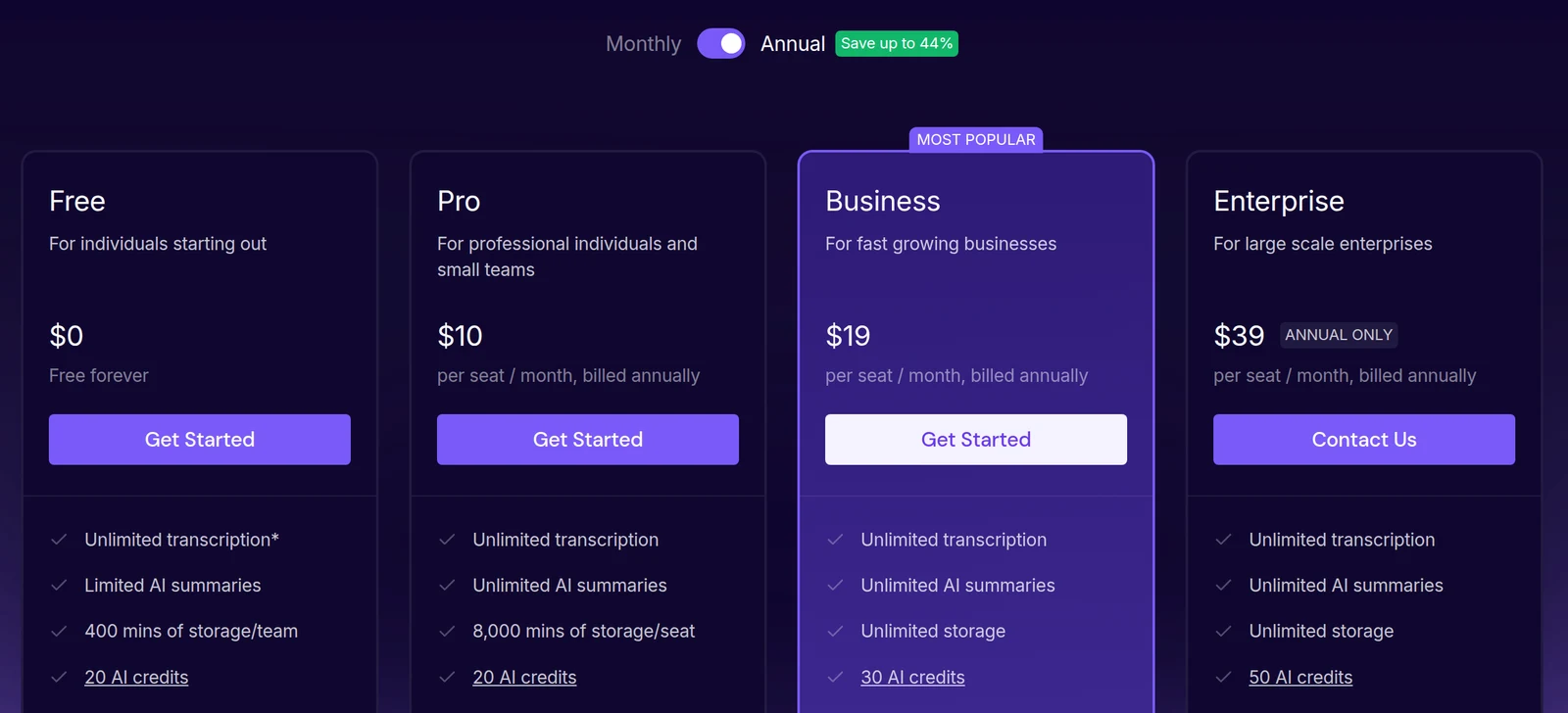
Fireflies AI pricing at a glance
| Plan | Billed monthly | Billed annually | Storage | Longest recording | AI credits included |
|---|---|---|---|---|---|
| Free | $0 | $0 | 400 minutes | 2 hours | 20 |
| Pro | $18 per seat | $120 per seat per year | 8,000 minutes per seat | 2 hours | 20 |
| Business | $29 per seat | $228 per seat per year | Unlimited | 3 hours | 30 |
| Enterprise | Not offered | $468 per seat per year | Unlimited | 4 hours | 50 |
Three things about this table are easy to miss:
- The annual prices are shown per month. The pricing page displays annual billing as a monthly figure (Pro appears as $10 per seat per month, for example), but the full year is charged up front. Fireflies’ overview of its pricing plans lists both prices.
- Annual billing saves more on Pro than on Business. A year of Pro costs $120 instead of $216, which is 44% less. A year of Business costs $228 instead of $348, about 34% less.
- Every teammate is a paid seat. The Fireflies billing terms say a seat is created the moment a teammate is added to your workspace, and every admin or member counts as one.
Is Fireflies AI free? What the Free plan includes
Yes. The Free plan costs $0 for as long as you like, and Fireflies’ free trial guide says it never asks for a credit card. It works with Zoom, Google Meet and Microsoft Teams and transcribes in 100+ languages.
The limits come from the pricing page and Fireflies’ article on what the Free plan includes:
| Limit on Free | What it means in practice |
|---|---|
| 400 minutes of storage | Under seven hours of meetings in total, not per month, according to Fireflies’ storage limits page. When it is full, you delete older files to store new ones |
| ”Unlimited transcription” with a condition | Accounts created on or after September 1, 2026 get 3 meeting transcriptions by default. Turning on Auto-join for calendar meetings removes the cap |
| Limited AI summaries | Summaries draw on a small pool of sign-up credits: 3 from the website, 5 from the Chrome extension, 10 for a new mobile app user |
| No video, no downloads | Video capture and downloading transcripts start on Pro |
| 20 AI credits | For add-ons such as AskFred and AI Skills. When they run out, Free users see a paywall, not a charge |
Fireflies’ guide to unlimited transcriptions on the Free plan says the setting that only sends the notetaker when you invite it does not count. Free transcription without a cap means letting Fireflies pick up your calendar meetings automatically.
Fireflies’ own pages disagree on two details. The pricing page lists Free storage as 400 minutes per team, the help article as 400 per seat. The Free plan article calls the 20 AI credits monthly, while the AI credits guide says plan credits are granted once. Plan for the stricter reading.
If you mostly transcribe recordings you made elsewhere, our roundup of free voice recorders with transcription compares the upload limits of other tools.
Fireflies Pro, Business and Enterprise: what each paid plan adds
Fireflies Pro: $18 monthly, or $120 a year
According to Fireflies’ Pro plan article, Pro adds:
- Unlimited transcription and AI summaries, with no sign-up credits to ration.
- 8,000 minutes of storage per seat, about 133 hours of meetings.
- Video capture in 720p, which you turn on in settings.
- Downloads of transcripts, summaries and recordings.
The catch is the recording limit: 2 hours per meeting, the same as Free. A long workshop or a board meeting needs Business.
Fireflies Business: $29 monthly, or $228 a year
Business is the plan Fireflies marks as most popular. The Business plan article lists what it adds to Pro:
- Unlimited storage for recordings, transcripts and uploads.
- Recordings of up to 3 hours per meeting.
- Multi-language mode for meetings where people switch languages.
- Conversation intelligence and team analytics, plus user groups and private channels.
- 30 AI credits to start with, up from 20.
Fireflies Enterprise: $468 a year, annual only
Enterprise costs $39 per seat per month and is billed annually only. The Enterprise plan article adds single sign-on, SCIM provisioning, private storage, custom data retention, 1080p video, payment by invoice and, on request, HIPAA support. Recordings can run up to 4 hours, and 20 seats or more come with a dedicated account manager.
AI credits: the second bill on top of your seats
Transcription, AI summaries and recap emails are covered by the plan and never use credits. The newer features do. The billing terms list them: AI Skills, Personal Assistant, Voice Agents, Sales Assist, Slack Assistant, Autofill CRM, AskFred on Live Assist and Magic Soundbites. Each request is charged in credits, and a complex request costs more than a simple one.
Every plan starts with a one-time allowance: 20 credits on Free and Pro, 30 on Business, 50 on Enterprise. The AI credits guide says they are shared across the whole team and do not grow when you add seats.
After that, credits are a subscription, available on paid plans only:
| Credits per month | Billed monthly | Billed annually, per month |
|---|---|---|
| 50 | $5 | $4 |
| 200 | $20 | $16 |
| 1,000 | $90 | $72 |
| 2,500 | $200 | $160 |
| 5,000 | $375 | $300 |
| 7,500 | $450 | $360 |
| 10,000 | $600 | $480 |
Unused purchased credits do not carry over to the next cycle, and credit purchases are non-refundable.
How much does Fireflies AI cost per year?
The table below is seat price times seats times twelve months, before tax and before any credit subscription.
| Team size | Pro, monthly billing | Pro, annual billing | Business, monthly billing | Business, annual billing | Enterprise |
|---|---|---|---|---|---|
| 1 seat | $216 | $120 | $348 | $228 | $468 |
| 5 seats | $1,080 | $600 | $1,740 | $1,140 | $2,340 |
| 10 seats | $2,160 | $1,200 | $3,480 | $2,280 | $4,680 |
Three billing rules change the total:
- Upgrades are charged at once. An upgrade takes effect immediately and you pay the prorated difference for the rest of the cycle. A downgrade waits for the next cycle.
- Removing a teammate saves nothing until renewal. The seat count drops going forward, with no refund for the current cycle.
- Volume discounts start above 50 members. The pricing page tells teams of that size to contact Fireflies.
Discounts, the free trial and refunds
- Students and nonprofits. Fireflies’ discount article offers 10% off Pro, Business or Enterprise for NGOs, students and nonprofit organizations, on monthly and yearly plans. The article was last updated about a year ago, so confirm with support first.
- Free trial. The trial is 7 days of the Business plan. The free trial guide says a credit card is required, each account gets one trial, and the account is billed for Business automatically if you do not cancel in time. Teammates added during the trial are billed as paid seats.
- Refunds. The refund policy allows a full refund on a monthly plan active for 7 days or less with 3 meetings or fewer, and on an annual plan active for 7 days or less with 20 meetings or fewer. Annual plans get no pro-rated refunds. Fireflies’ page on managing your subscription is blunter: it says no refunds are offered on subscriptions or AI credit purchases. Ask support in writing before you count on one.
- Cancelling. Go to Settings, then Account, and click Cancel under Subscriptions. You keep paid features until the end of the cycle, then drop to Free with your meetings intact. A credits subscription is cancelled separately.
Which Fireflies plan should you pick?
- Pick Free if you take a few short calls a month, do not need downloads or video, and can live inside 400 minutes of storage.
- Pick Pro, billed annually, if you work alone or in a small team, your meetings stay under 2 hours and you want unlimited summaries and downloads.
- Pick Business if meetings run up to 3 hours, if 8,000 minutes per seat will not last, or if admins need analytics and private channels.
- Talk to sales about Enterprise if you need single sign-on, SCIM, private storage, custom retention or HIPAA support.
Still comparing notetakers? See our breakdowns of Otter AI pricing, which meters minutes instead of storage, and Granola pricing, for a notetaker that works without a bot.
Fireflies vs Record Meeting: price and limits side by side
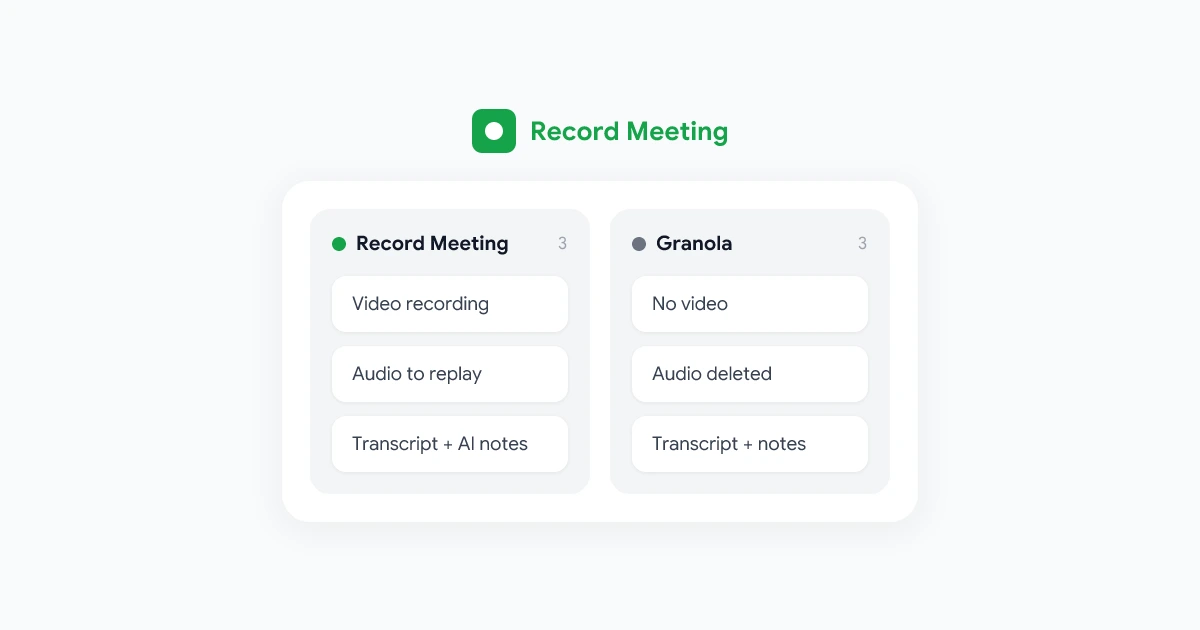
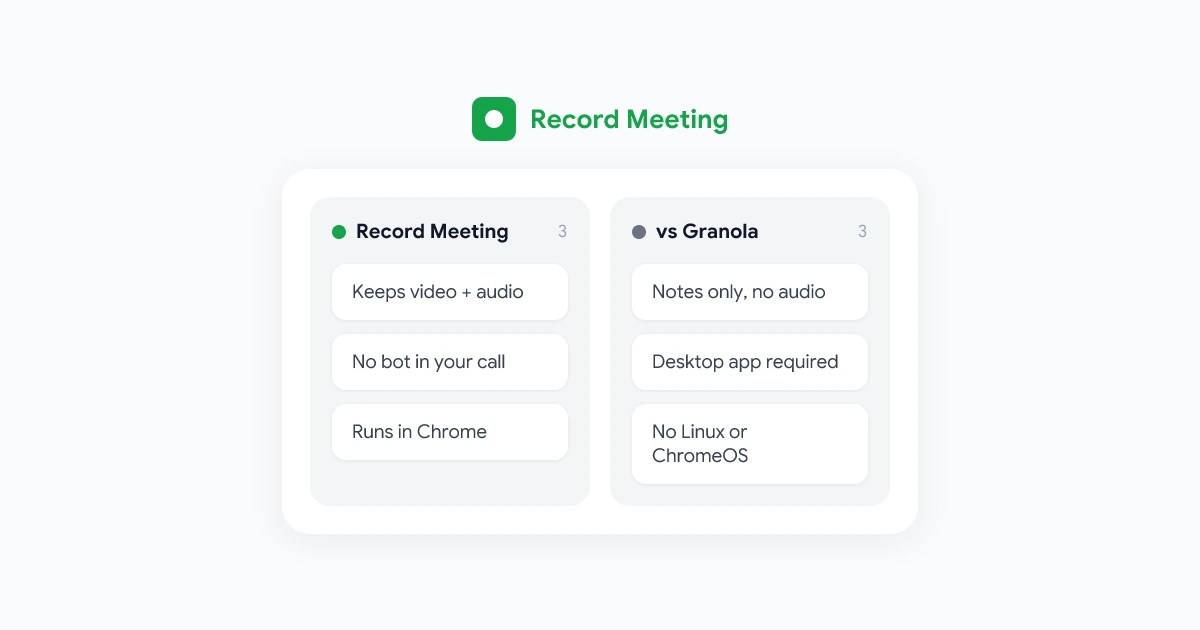
Fireflies records by sending a notetaker into the call, where it shows up in the participant list. It has two ways around that, and both trade something away. The Fireflies Chrome extension captures Google Meet without the bot, but audio only, and it does not work on Zoom or Teams. The desktop app’s bot-free mode, described in Fireflies’ bot vs no bot comparison, saves a transcript and notes but no audio or video.
Record Meeting takes a different route. A Chrome extension records Google Meet, Zoom and Microsoft Teams from your own browser tab, so nothing extra joins the call, and it keeps the video as well as the transcript. Here is how the plans line up.
| Fireflies.ai | Record Meeting | |
|---|---|---|
| Free plan | 400 minutes of storage, 2 hours per meeting, limited AI summaries | Up to 5 recordings of up to 1 hour each, no credit card |
| Individual paid plan | Pro: $18 per seat per month, or $120 per seat per year | Pro: $15 per month, or $9 per month billed yearly |
| Team plan | Business: $29 per seat per month, or $228 per seat per year | Enterprise: $19 per seat per month, or $15 billed yearly |
| Longest recording on paid plans | 2 hours on Pro, 3 on Business, 4 on Enterprise | 6 hours |
| AI features | Summaries included, AI credits for AI Skills, AskFred on Live Assist and other add-ons | AI meeting notes and chat with recordings included in Pro |
| How it records | Notetaker bot in the call, or bot-free capture without video | Browser extension, no bot in the call |
| Video of the meeting | 720p on Pro and Business, 1080p on Enterprise | Recorded on every plan, downloads from Pro |
| Transcription languages | 100+ | 50+ |
| Refunds | Limited to the first 7 days, with conflicting help pages | 30-day money-back guarantee |
Which one fits depends on how you meet:
- Fireflies fits if you want unattended, bot-based recording of every calendar event, or if your team relies on its CRM integrations and conversation analytics.
- Record Meeting fits if a bot in the participant list is a problem with clients and candidates, if you want the video without inviting one, or if your meetings run longer than Fireflies’ limits of 2 to 4 hours. Transcripts and AI notes start with Pro, so the free plan is for trying the recorder, not for free transcription.
 Try Record Meeting
Record Google Meet, Zoom and Microsoft Teams calls from your browser with no bot in the meeting. Pro records up to 6 hours per call and keeps the video, with a transcript in 50+ languages and AI meeting notes included.
Get Started Free
If the bot is your main concern, our guide explains how to get a Google Meet recording without a bot.
Frequently Asked Questions
Conclusion
Fireflies AI pricing looks simple on the page: free, $18 or $29 a month per seat, and less if you pay for the year. The real cost depends on three things behind those prices: how many seats you add, how long your meetings run, and how many credit-based features your team switches on. Work out your longest regular meeting, decide who may use AI credits, and read the refund terms before you pay for a year.
If you would like the video without a notetaker joining the call, or meetings of up to 6 hours, try Record Meeting. The free plan includes 5 recordings with no credit card.